You've probably heard somebody say email is on its way out, because everybody talks on social media now. It isn't. Your customers still have an inbox, and it's still where the quote, the receipt and the reminder land. And according to Campaign Monitor, email marketing has topped the list of channels with the highest ROI for the past ten years, with each $1 invested generating $38 in returns.
Marketing email used to be one newsletter sent to the whole list, the same words for everybody. Email automation changed that. Now each email fits what the person just did, and the software sends it for you.
What email automation is
Email automation is a set of emails that go out on their own when somebody does something. They ask for a quote. They sign up for your newsletter. They book, and then they don't show up. Each of those actions starts its own short run of emails, spaced out over days or weeks and written for somebody in that exact spot.
The software connects to your website and your forms, so a new person lands on the right list the moment they take the action. Nobody has to copy names from one place to another.
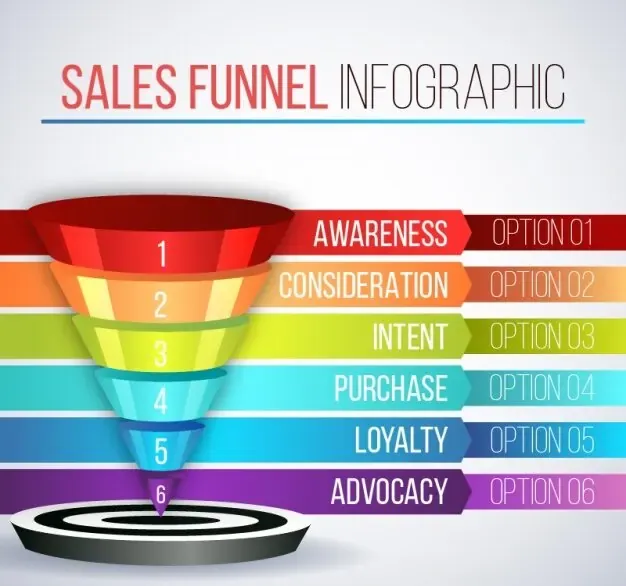
So the person who asked for a quote gets emails about the quote, and the person who signed up for tips gets tips. Each run of emails is written to move that person one step along: from first hearing about you, to booking, to coming back, and one day to telling a friend about you.
What you need to set it up
Automated email campaigns are also called drip campaigns, and they need three things: email software, tracking on your website, and the emails themselves.
Email software
Pick email software that connects to your website and your forms. Then when somebody gives you their email address, the software adds them to the right campaign by itself.
Tracking on your website
The software can only send the right email if it knows what the person did. So you pick certain actions and make them triggers, and a trigger puts a person on a list. It could be filling out your quote form, signing up for a class or a webinar, looking at your prices page, or coming back to your site a few times in one week.
Not every trigger needs its own set of emails. But each set should fit where the person is. Somebody who just signed up for your newsletter is in a different spot than somebody who asked for a price and never booked, so they need different words. Triggers can also decide when the emails go out and how often.
The emails themselves
First, know the difference between a campaign and a transactional email. A transactional email is a one-time message that confirms something happened, like a receipt or a booking confirmation. A campaign is a series. It helps people get to know you and moves them toward the next step.

You can set up a different run of emails for every spot a person can be in, as many as your business needs. Once a campaign is set up, it goes out every time a new person sets off its trigger. So set up the triggers carefully. A person should only get the emails for where they are now, and none from a step they've already passed.
What it does for you
Most people need to hear from you more than once before they hire you. Automated emails make sure they do, whatever step they're at.
Nobody has to write each email
Once the emails are written, the software sends them. Nobody types the same email for the fortieth time, and nobody has to remember who's due for which one.
If you have somebody doing your marketing, their time goes to your existing customers and the next campaign.
Every email fits the person reading it
People can tell a mass email from one that's about them. An email about the quote they asked for yesterday reads like it came from you. An email about a sale they don't care about reads like an ad. It shows up in the results too: nearly 80% of companies that personalize their marketing report exceeding their revenue targets.

Emails that fit help people get to know you before they ever call. And a steady schedule keeps your name in front of them while they decide.
Every new person gets the right emails
With the campaigns set up right, everybody who fills out a form, joins your list or asks about a service gets the emails that fit them. The trigger that put them on the list decides which ones. Nobody sorts them and nobody picks what to send, so a busy week doesn't mean somebody gets missed.

Keep an eye on it once it's running
Watch who opens, who clicks and who books. Then change the emails that aren't pulling their weight and test the new version against the old one.
Texts work the same way
Everything here works for text messages too. Text is especially good for people who already know you, like a customer from last year who hasn't booked since, because a short text from a business they've already used is easy to answer.
Email automation is the follow-up a busy office doesn't get to
Everything above is follow-up: the next step after somebody asks, books or buys. Going back to a quote or an inquiry from three weeks ago usually isn't anybody's job, so it waits for a spare moment that never comes.
We build that follow-up for you, write the messages in your own voice, and train the person who already answers your phone to run it. Your people approve every message before it's used, and after that it goes out on its own, so nobody has to remember it. Here's everything The Business OS covers, from the first inquiry to the customer from last year.